Desert Rose Skincare
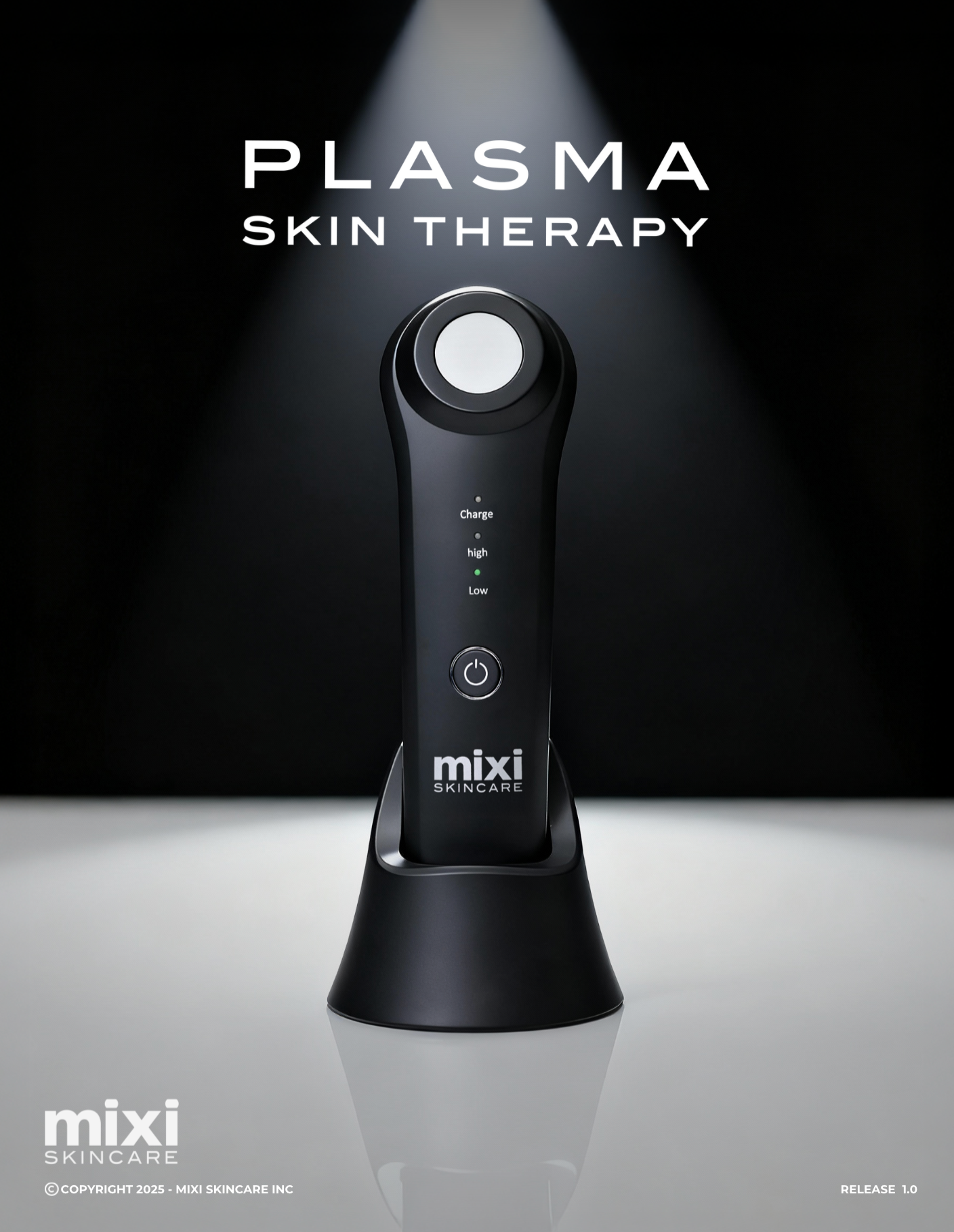
Mixi plasma device
Mixi plasma device
Couldn't load pickup availability
What is Cold Plasma?
Cold plasma is a gentle, energized gas made up of charged particles that can safely
interact with the skin. It’s called “cold” because it operates at or near room
temperature unlike hot plasma used in other applications.
Cold Plasma Is Used For:
Acne treatment
Anti-aging / rejuvenation
Rosacea and redness
Wound healing
Post-procedure recovery
Sterilizing skin before treatments
Safety Profile:
Non-invasive and pain-free
No downtime
Suitable for all skin types
Typically used 1–3 times per week in professional
settings or at-home devices (depending on
strength and design
Benefits of Cold Plasma Treatment:
Cold Plasma technology offers a powerful combination of skin renewal,
purification, and enhanced absorption. By temporarily restructuring the lipid
barrier, Cold Plasma creates micro-pathways within the skin, allowing potent
ingredients like vitamins, peptides, and hyaluronic acid to penetrate more
effectively. This process maximizes the results of topical products applied during
and after treatment.
In addition to improving product absorption, Cold Plasma
energizes the skin by stimulating circulation and
encouraging the natural growth of fibroblasts and collagen.
This rejuvenating effect supports healthy cell turnover,
firmer texture, and a noticeable reduction in visible signs of
aging.
Cold Plasma helps to eliminate excess sebum, bacteria, and
impurities on the skin’s surface creating a cleaner
environment that supports clearer, healthier skin. This
purification effect makes it especially beneficial for acne-
prone or congested complexions.
Clean & Dry the Skin
First, clean and wash off any oil and residue left on skin.
Tip: Please make sure to completely remove and dry
any water from the skin before using the device.
If water is left on the skin, it may cause a tingling
sensation.
2
Turn on the Device
Press and hold the power button to turn on the device; it
will start at the low level by default. Briefly press the
power button to switch between low and high levels.
Press and hold the button again to turn off the device.
3
Begin Plasma Treatment
Slowly scan the surface of the skin with the device,
focusing on the desired area. The device will naturally
make sounds as it generates plasma.
It is recommended to use the device on a specific
area for 5–10 minutes.
It is normal to hear noises and notice a smell when
plasma is being generated during use.
4
Soothe Skin
After the treatment, apply Dew Drop Serum, Mixi Peptide
Rescue Moisturizer or MixiLite Daily Moisturizer Cream,
and Mixi SPF 50. Gently massage the skin to promote
absorption of nutrients.
5
Clean the Device
Clean the plasma ceramic head with alcohol and a
cotton pad after use.
Cleaning & Storage
Turn off the device before cleaning.
Wipe with a soft cloth or cotton pad.
- Do not wash or submerge in water.
Avoid alkaline cleaners, alcoholic volatile oil, or
thinners when cleaning. Use only water
dampened cloth to clean device.
Clean the plasma ceramic head with alcohol and
a cotton pad after use.
Store in a dry, ventilated place away from heat
and moisture.
Warnings:
The following people shall not use this device:
Children
Pregnant or Breast Feeding
Those Who Have Epilepsy or Using a Pace Maker
Users Who Have Undergone Any Facial/Eye
Surgery
DO NOT operate this device if it is not working
properly, has been dropped or damaged, or
submerged in water.
DO NOT use in the eye area (circular muscles
within the orbital rim), or on the breast or groin
area.
COPYRIGHT 2025 - MIXI SKINCARE INC
Share